Subscribe
Never miss a post
Practical lessons on building software products, covering MVP strategy, startup architecture, engineering execution, and build stories. No spam, unsubscribe anytime.
Protected by Cloudflare Turnstile.
Lately, I’ve been experimenting with LM Studio as a way to host and run smaller LLMs on my gaming PC.
The GPU in my PC is by no means a powerhouse for AI inference. It’s primarily a gaming card, but I got curious about what kinds of models and performance I could get out of a GeForce RTX 5070 with 12GB of VRAM.
We’re obviously not going to be running 80B parameter models on this thing or competing with frontier models like Fable or GPT-5.6. But it turns out that smaller models in the 4B-15B range, especially when quantized, can run surprisingly well and at token speeds that are actually usable.
LM Studio works great as a general-purpose local chatbot, but I was more interested in its inference API. Specifically, I wanted to see how well a locally hosted model could work when paired with an agentic coding harness.
My goal was simple:
- Run LM Studio and the model itself on my Windows gaming PC
- Expose its inference API across my local network
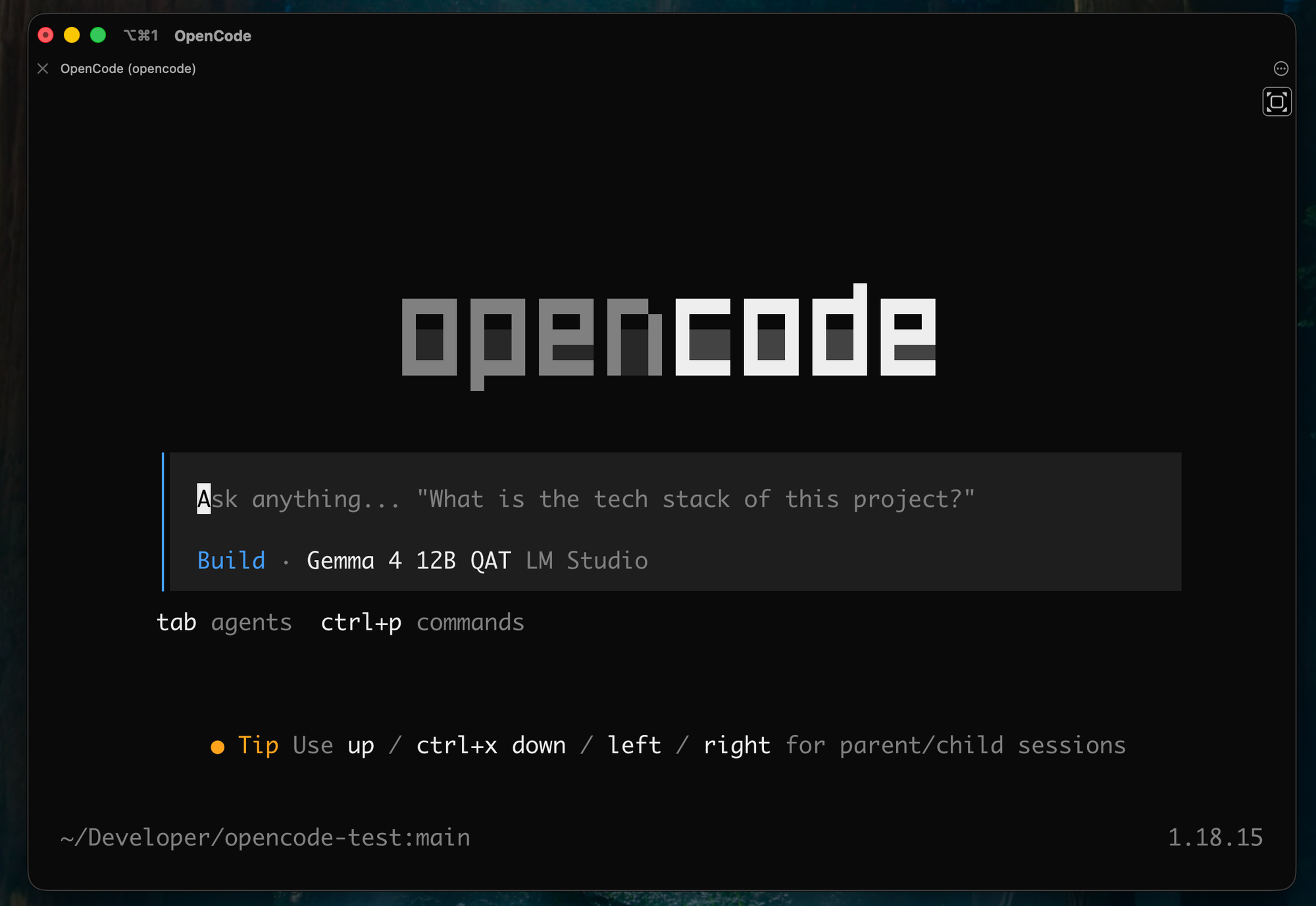
- Run OpenCode on my MacBook Pro
- Use the PC as a remote local-model provider for OpenCode
It turned out to be a fun experiment, and getting everything connected was surprisingly straightforward.
System Architecture
For the model host, I’m using a Windows 11 gaming PC with the following specs:
- AMD Ryzen 7 9800X3D CPU
- 32GB DDR5 RAM
- GeForce RTX 5070 GPU with 12GB VRAM
- 2TB M.2 NVMe SSD Storage
Definitely respectable for a gaming PC, but by no means a dedicated AI inference rig.
I’ll be running OpenCode on my M4 Pro MacBook Pro with 48GB of RAM. The MacBook specs aren’t particularly important here since it isn’t doing the inference, but I wanted to give a complete picture of the setup.
Both machines are connected wirelessly to the same LAN.
Setting Up LM Studio On My PC
I already had LM Studio installed, but if you’re following along, you can download it from:
Installation is straightforward. Once you open it, you’ll find a familiar chatbot-style interface.
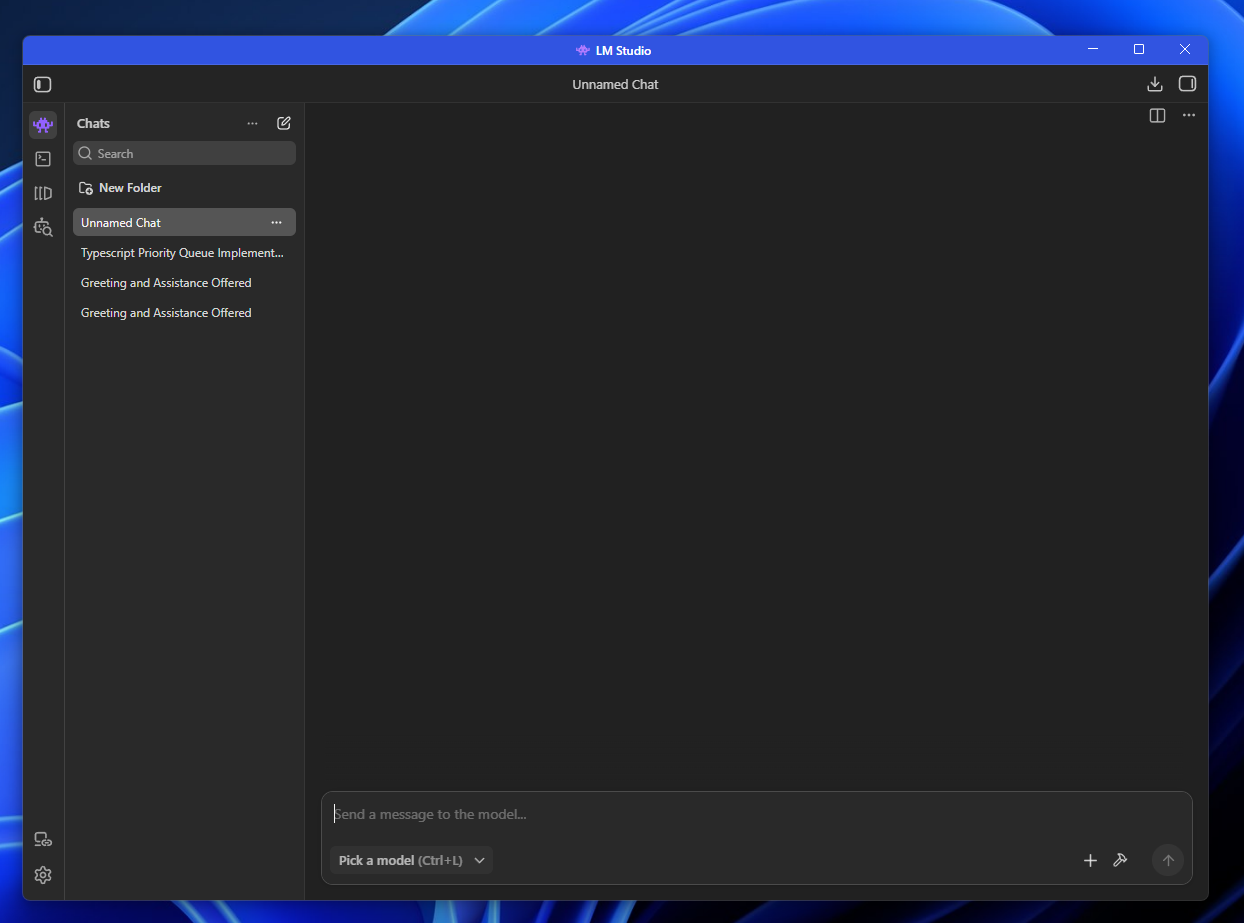
Before we can use it, though, we need an LLM.
LM Studio has a built-in model catalog that also gives you some indication of how well a model should run on your hardware.
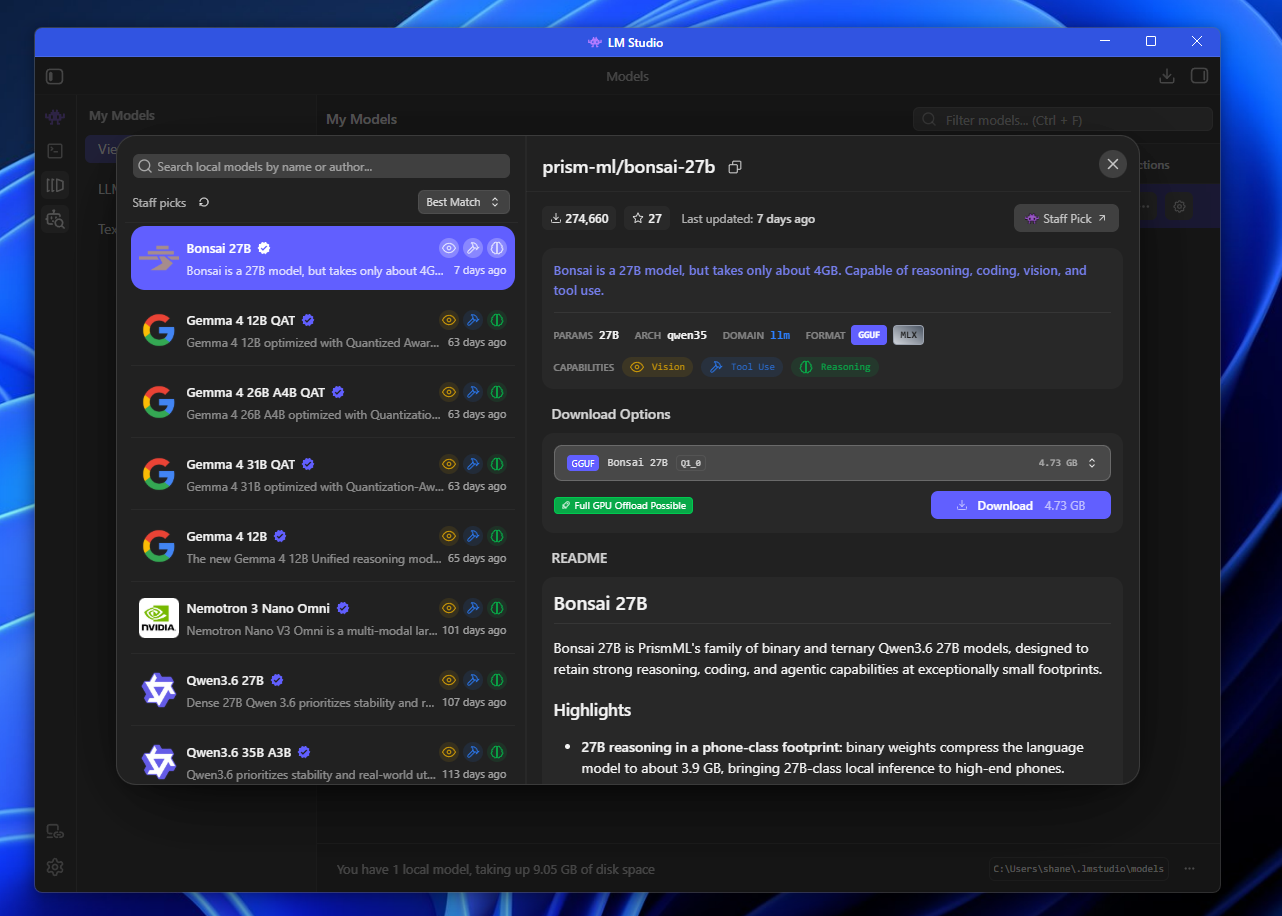
For this experiment, I downloaded:
- Microsoft Phi 4 Reasoning Plus
- Google Gemma 4 12B QAT
- Qwen3 4B Thinking 2507
These are relatively small models, but we’re working with only 12GB of VRAM. I want to stick primarily to models that can be fully offloaded to the GPU rather than spilling significantly into system RAM.
Feel free to experiment with different models and quantization levels to see what works well on your hardware.
It’s also worth reiterating what I’m trying to accomplish here. I’m not building a state-of-the-art GPU rig or trying to replace frontier coding models.
I want to see what’s possible with a fairly normal gaming PC and hardware I already own.
Starting the LM Studio API Server
Once your models are downloaded, we can start LM Studio’s local inference server.
Click the Developer tab in the sidebar, represented by the little shell icon, and open Local Server.
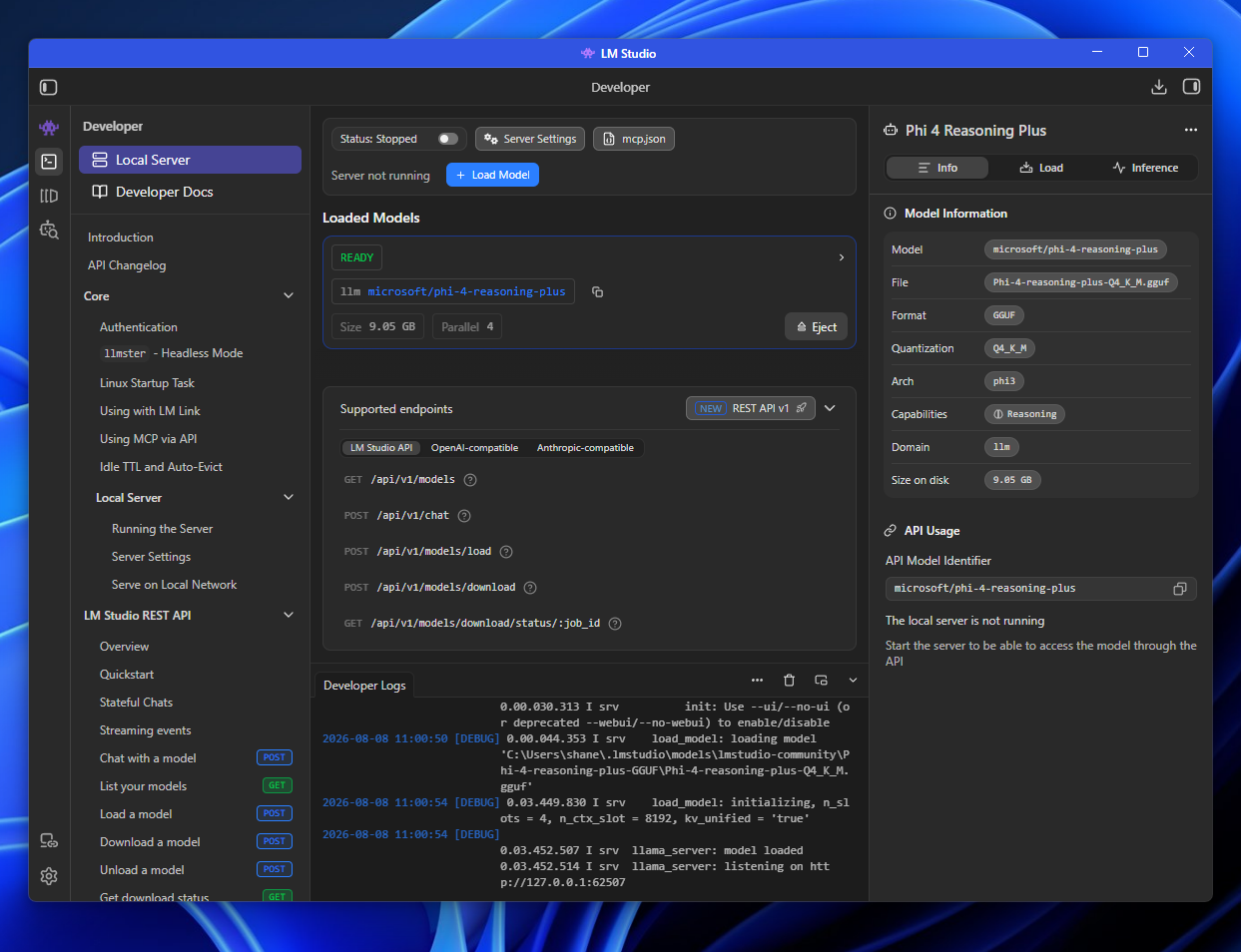
From here, you can configure your API server and choose which model to load. I started with Phi 4 Reasoning Plus.
Because we want to reach this server from another machine, we also need to enable Serve on Local Network under Server Settings.
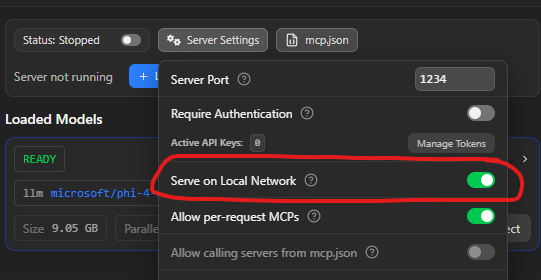
Now toggle the server on.
Windows Security may prompt you to allow LM Studio through the firewall. Allow it on your private network.
LM Studio should now show the full network address where the server is listening.
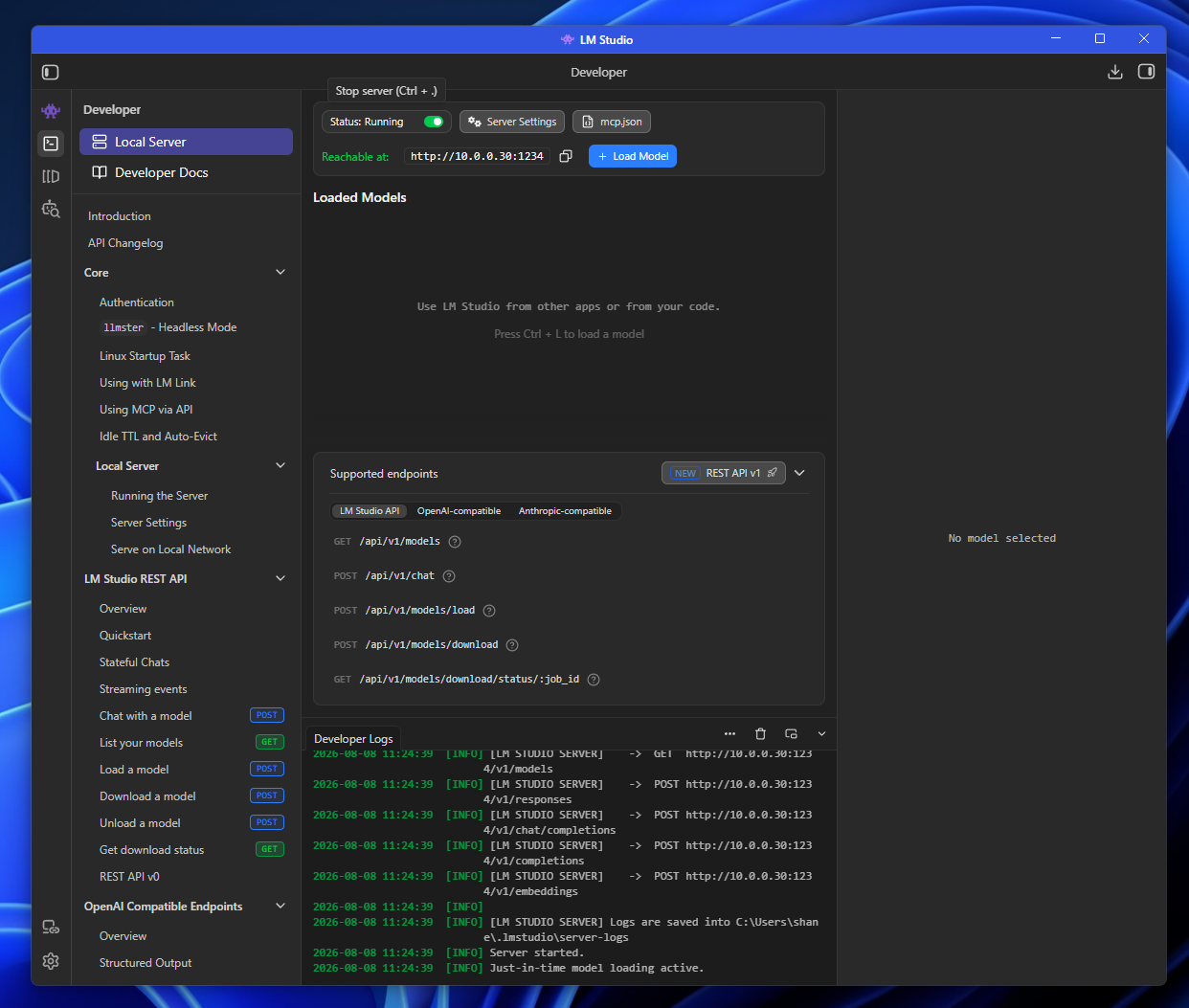
In my case, the server is running on port 1234.
Opening Port 1234 in Windows Firewall
I also created an inbound Windows Defender Firewall rule allowing TCP traffic on port 1234 from my network.
Open PowerShell as Administrator and run:
New-NetFirewallRule -DisplayName "Allow Port 1234" -Direction Inbound -Action Allow -Protocol TCP -LocalPort 1234 -Profile Domain, Private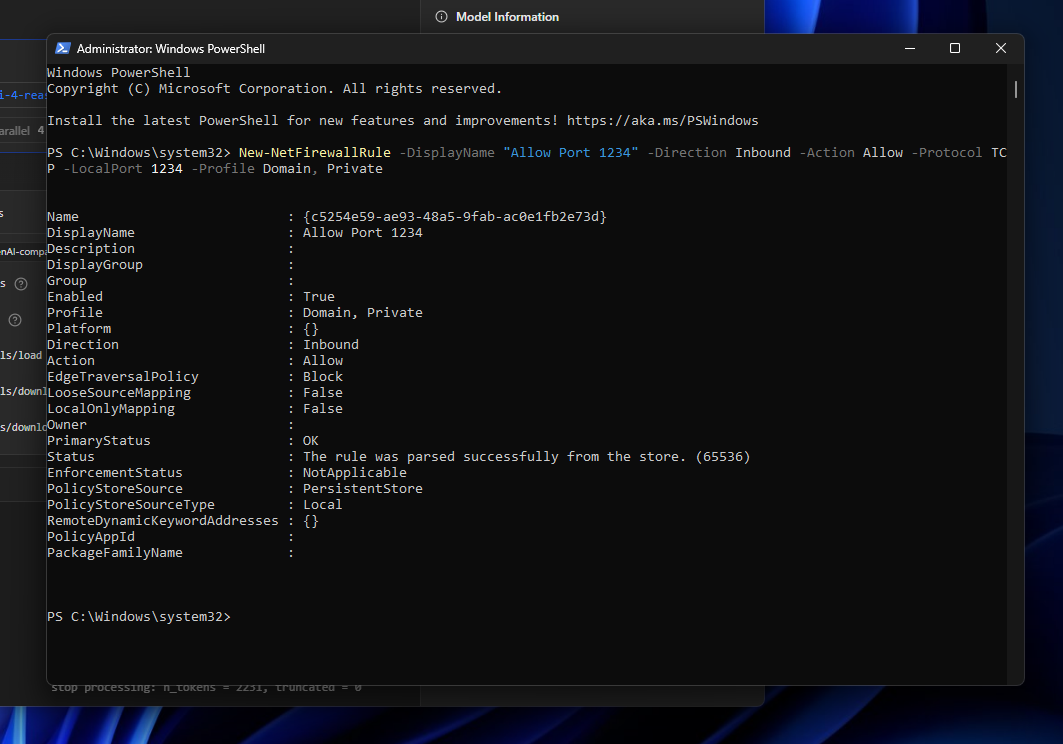
If you later want to remove the rule:
Remove-NetFirewallRule -DisplayName “Allow Port 1234”With that done, we can test the connection from the Mac.
curl 10.0.0.30:1234/api/v1/modelsLM Studio returned the models available through the server, including Gemma, Phi, and Qwen:
{
  "models": [
    {
      "type": "llm",
      "publisher": "qwen",
      "key": "qwen/qwen3-4b-thinking-2507",
      "display_name": "Qwen3 4B Thinking 2507",
      "architecture": "qwen3",
      "quantization": {
        "name": "Q4_K_M",
        "bits_per_weight": 4
      },
      "size_bytes": 2497459480,
      "params_string": "4B",
      "loaded_instances": [],
      "max_context_length": 262144,
      "format": "gguf",
      "capabilities": {
        "vision": false,
        "trained_for_tool_use": true,
        "reasoning": {
          "allowed_options": [
            "on"
          ],
          "default": "on"
        }
      },
      "description": null,
      "variants": [
        "qwen/qwen3-4b-thinking-2507@q4_k_m"
      ],
      "selected_variant": "qwen/qwen3-4b-thinking-2507@q4_k_m"
    },
    {
      "type": "llm",
      "publisher": "microsoft",
      "key": "microsoft/phi-4-reasoning-plus",
      "display_name": "Phi 4 Reasoning Plus",
      "architecture": "phi3",
      "quantization": {
        "name": "Q4_K_M",
        "bits_per_weight": 4
      },
      "size_bytes": 9053139092,
      "params_string": "15B",
      "loaded_instances": [],
      "max_context_length": 32768,
      "format": "gguf",
      "capabilities": {
        "vision": false,
        "trained_for_tool_use": false,
        "reasoning": {
          "allowed_options": [
            "on"
          ],
          "default": "on"
        }
      },
      "description": null,
      "variants": [
        "microsoft/phi-4-reasoning-plus@q4_k_m"
      ],
      "selected_variant": "microsoft/phi-4-reasoning-plus@q4_k_m"
    },
    {
      "type": "llm",
      "publisher": "google",
      "key": "google/gemma-4-12b-qat",
      "display_name": "Gemma 4 12B QAT",
      "architecture": "gemma4",
      "quantization": {
        "name": "Q4_0",
        "bits_per_weight": 4
      },
      "size_bytes": 7151067268,
      "params_string": "12B",
      "loaded_instances": [],
      "max_context_length": 262144,
      "format": "gguf",
      "capabilities": {
        "vision": true,
        "trained_for_tool_use": true,
        "reasoning": {
          "allowed_options": [
            "off",
            "on"
          ],
          "default": "on"
        }
      },
      "description": null,
      "variants": [
        "google/gemma-4-12b-qat@q4_0"
      ],
      "selected_variant": "google/gemma-4-12b-qat@q4_0"
    },
    {
      "type": "llm",
      "publisher": "microsoft",
      "key": "microsoft/phi-4",
      "display_name": "Phi 4",
      "architecture": "phi3",
      "quantization": {
        "name": "Q4_K_M",
        "bits_per_weight": 4
      },
      "size_bytes": 9053136497,
      "params_string": "15B",
      "loaded_instances": [],
      "max_context_length": 16384,
      "format": "gguf",
      "capabilities": {
        "vision": false,
        "trained_for_tool_use": false
      },
      "description": null,
      "variants": [
        "microsoft/phi-4@q4_k_m"
      ],
      "selected_variant": "microsoft/phi-4@q4_k_m"
    },
    {
      "type": "embedding",
      "publisher": "nomic-ai",
      "key": "text-embedding-nomic-embed-text-v1.5",
      "display_name": "Nomic Embed Text v1.5",
      "quantization": {
        "name": "Q4_K_M",
        "bits_per_weight": 4
      },
      "size_bytes": 84106624,
      "params_string": null,
      "loaded_instances": [],
      "max_context_length": 2048,
      "format": "gguf"
    }
  ]
}
Success.
My Mac can now talk to the LM Studio inference server running on my PC.
Setting Up OpenCode On My Mac
Next, we can configure OpenCode.
OpenCode is an open-source coding agent harness you can learn more about at:
To install it, I ran:
curl -fsSL https://opencode.ai/install | bashAfter installation, the opencode command should be available in your $PATH.
I re-sourced my .zshrc, created a fresh directory for the experiment, and then moved on to configuring LM Studio as an OpenCode provider.
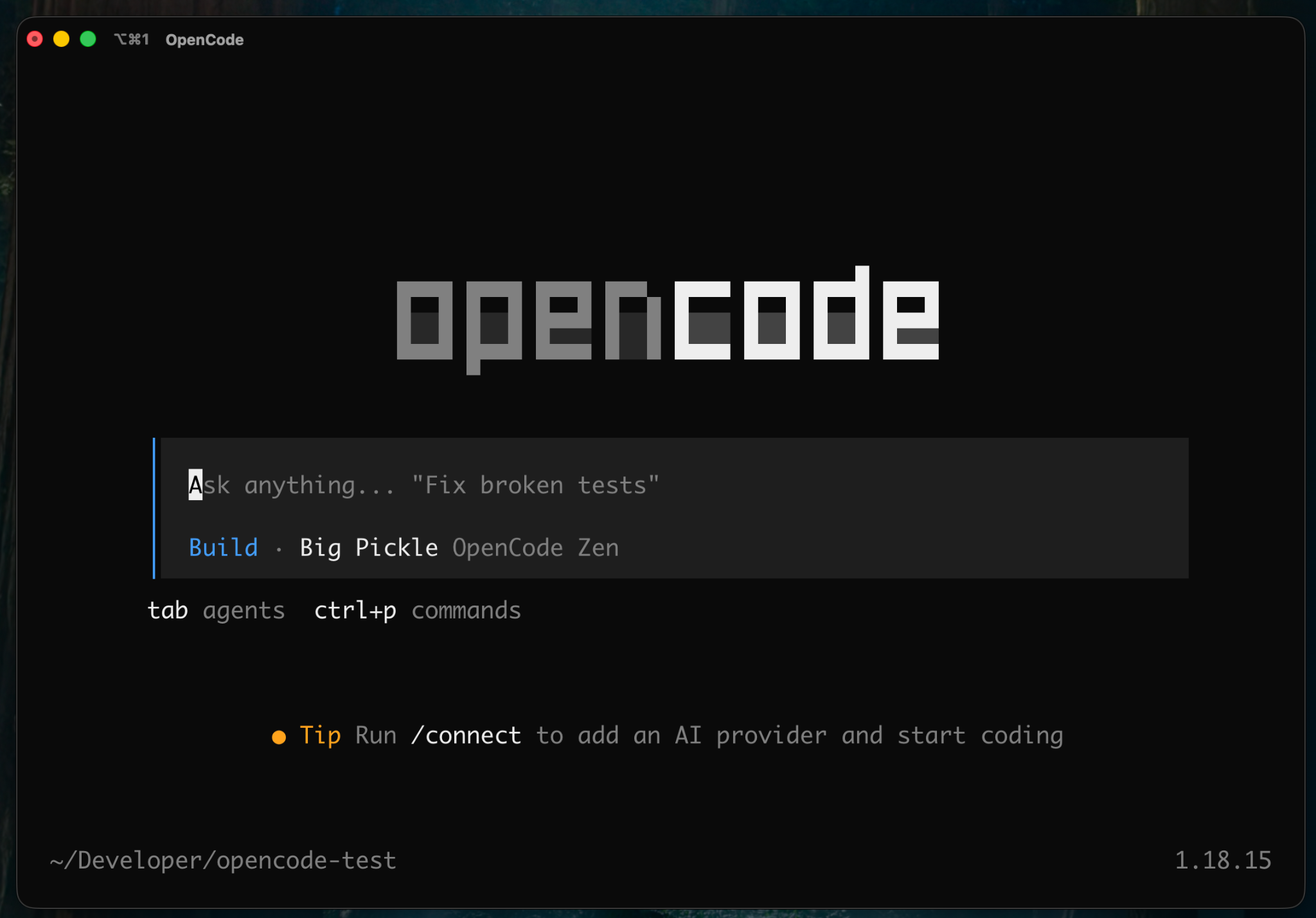
Configuring LM Studio as a Provider
OpenCode can be configured globally using:
~/.config/opencode/opencode.json
You can also place an opencode.json file inside an individual project if you want project-specific configuration.
I chose the global configuration because I want my LM Studio server available from any project.
My initial configuration looked like this:
{
 "$schema": "https://opencode.ai/config.json",
 "provider": {
   "lmstudio": {
     "npm": "@ai-sdk/openai-compatible",
     "name": "LM Studio",
     "options": {
       "baseURL": "http://10.0.0.30:1234/v1"
     },
     "models": {
       "microsoft/phi-4-reasoning-plus": {
         "name": "Phi 4 Reasoning Plus"
       },
       "qwen/qwen3-4b-thinking-2507": {
         "name": "Qwen3 4B Thinking"
       },
       "google/gemma-4-12b-qat": {
         "name": "Gemma 4 12B QAT"
       }
     }
   }
 },
 "model": "lmstudio/microsoft/phi-4-reasoning-plus"
}
The important part here is the baseURL.
Rather than pointing OpenCode at OpenAI or another cloud provider, we’re pointing it at the OpdenAI-compatible endpoint exposed by LM Studio on my PC.
After restarting OpenCode, Phi 4 Reasoning Plus appeared as my default model.
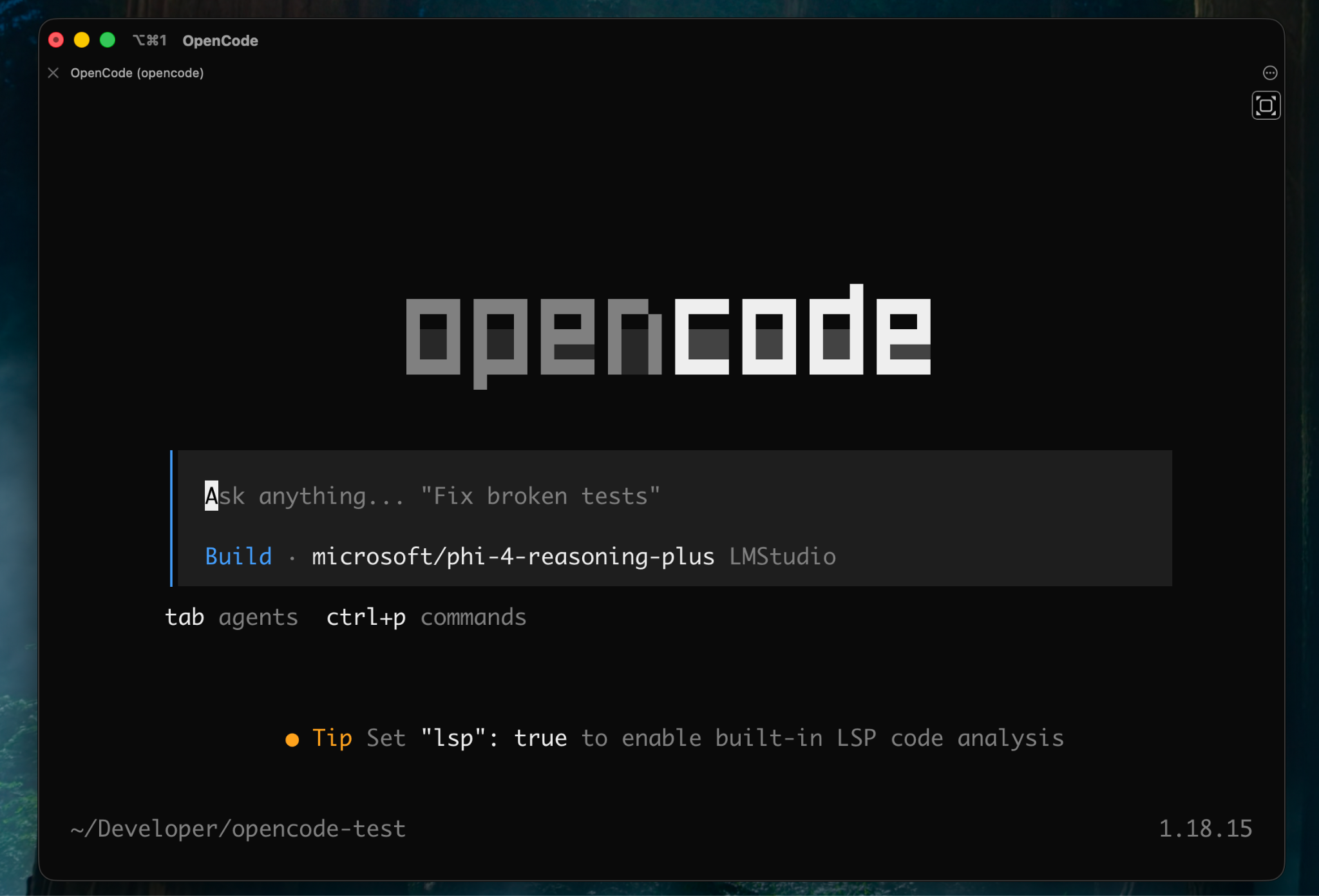
I sent a simple chat message, and both the OpenCode response and LM Studio’s developer logs confirmed that requests were successfully traveling across my LAN to Phi 4.
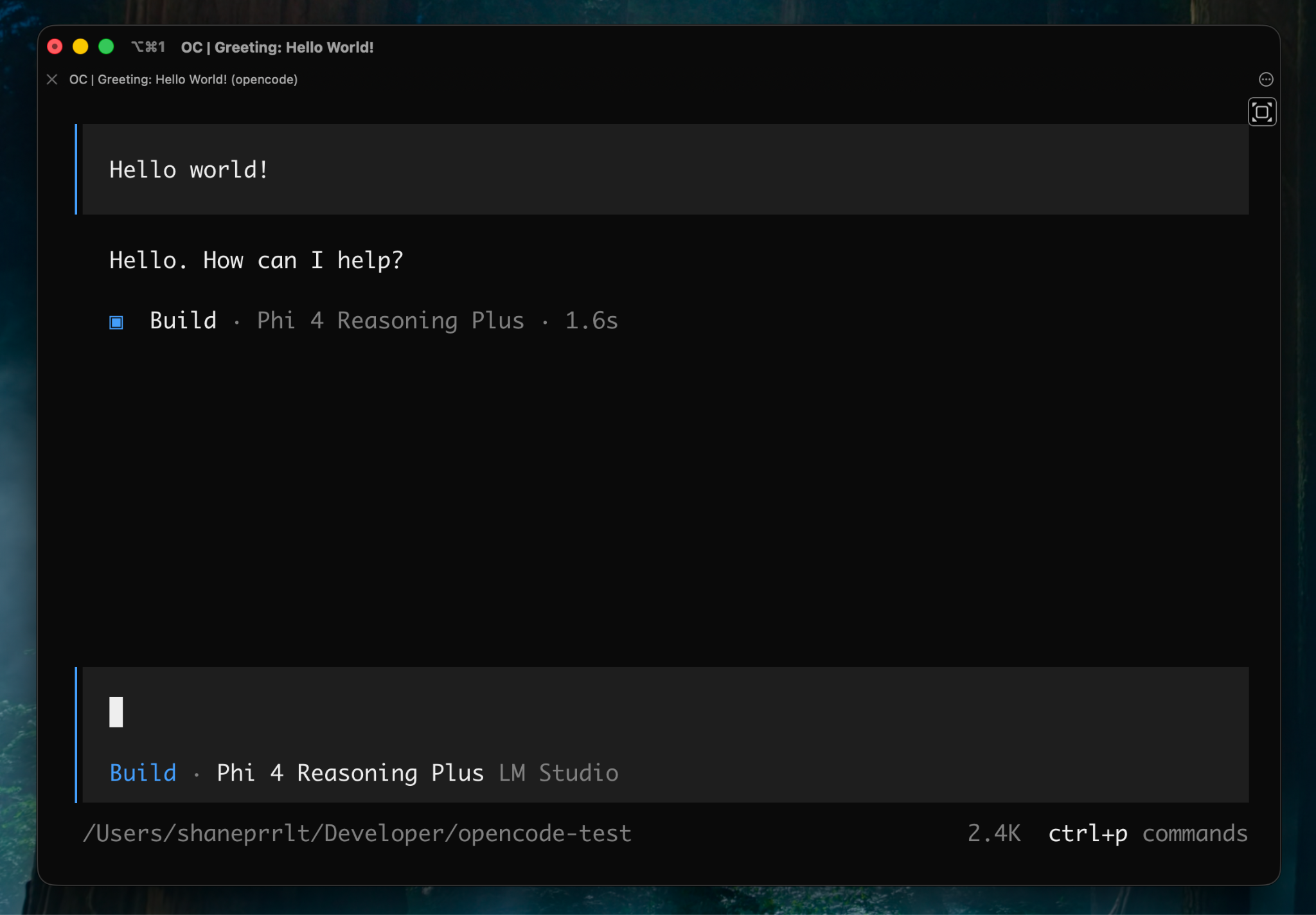
🥳
OpenCode’s /model command also lets me switch between the different LM Studio models I configured.
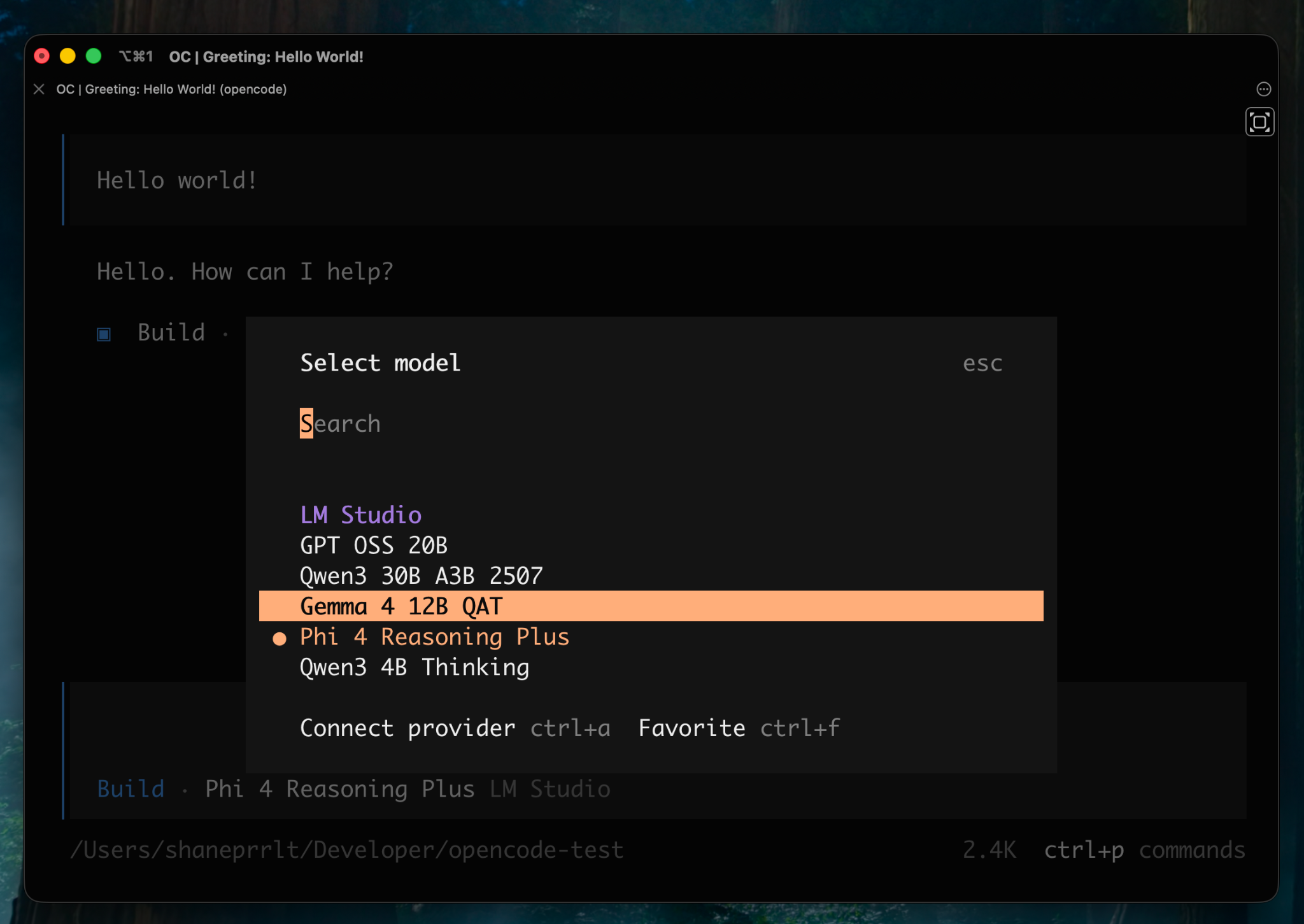
When I select another model, LM Studio can load it onto the GPU automatically.
With only 12GB of VRAM, though, I generally want to eject models I’m not actively using rather than keeping several loaded simultaneously.
Configuring Context Window Sizes
One issue showed up almost immediately when I started experimenting with Gemma 4 12B.
While the model was reasoning, I managed to run out of context.
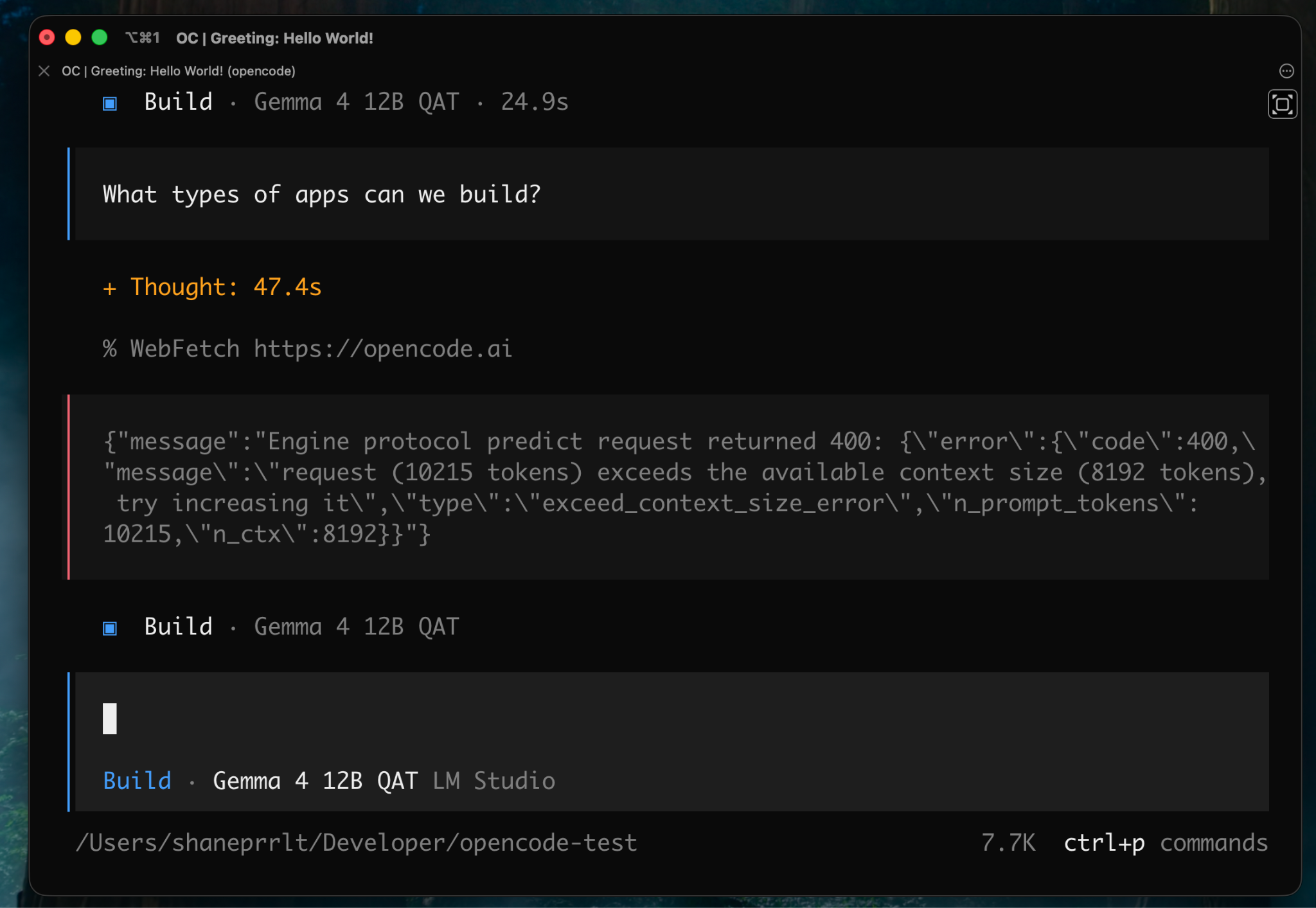
Gemma supports a much larger theoretical context window, but supporting that context also consumes hardware resources.
Given the limitations of my 12GB GPU, I decided to configure LM Studio with a 32,768 token context window.
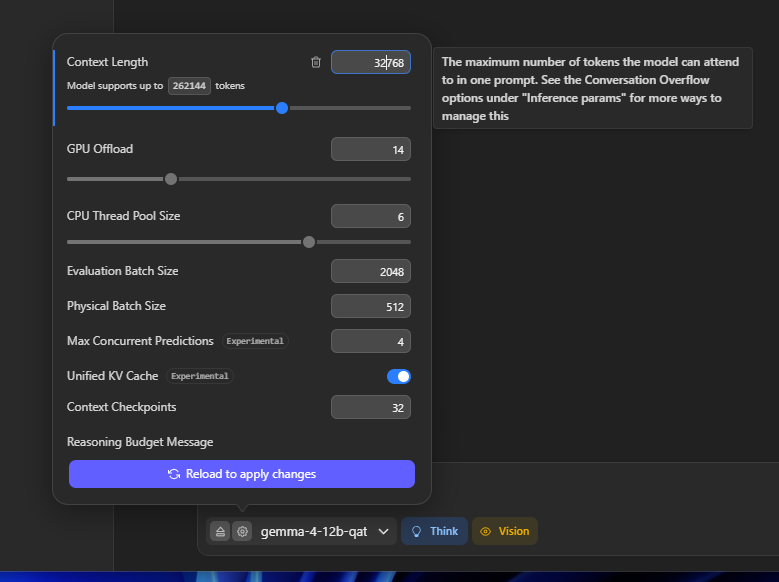
I then configured OpenCode with the same total context limit and an 8,192 token output limit.
My resulting configuration looked like this:
{
 "$schema": "https://opencode.ai/config.json",
 "provider": {
   "lmstudio": {
     "npm": "@ai-sdk/openai-compatible",
     "name": "LM Studio",
     "options": {
       "baseURL": "http://10.0.0.30:1234/v1"
     },
     "models": {
       "microsoft/phi-4-reasoning-plus": {
         "name": "Phi 4 Reasoning Plus"
       },
       "qwen/qwen3-4b-thinking-2507": {
         "name": "Qwen3 4B Thinking"
       },
       "google/gemma-4-12b-qat": {
         "name": "Gemma 4 12B QAT",
         "limit": {
           "context": 32768,
           "output": 8192
         }
       }
     }
   }
 },
 "model": "lmstudio/google/gemma-4-12b-qat"
}
Those numbers aren't universal recommendations. You’ll want to tune the context and output limits based on the model you’re running and the hardware available to you.
With the plumbing out of the way, it was time to see if this setup could actually do anything useful.
Using OpenCode To Build a Small REST API
For my first test, I prompted Gemma 4 to build a small Node.js Express REST API.
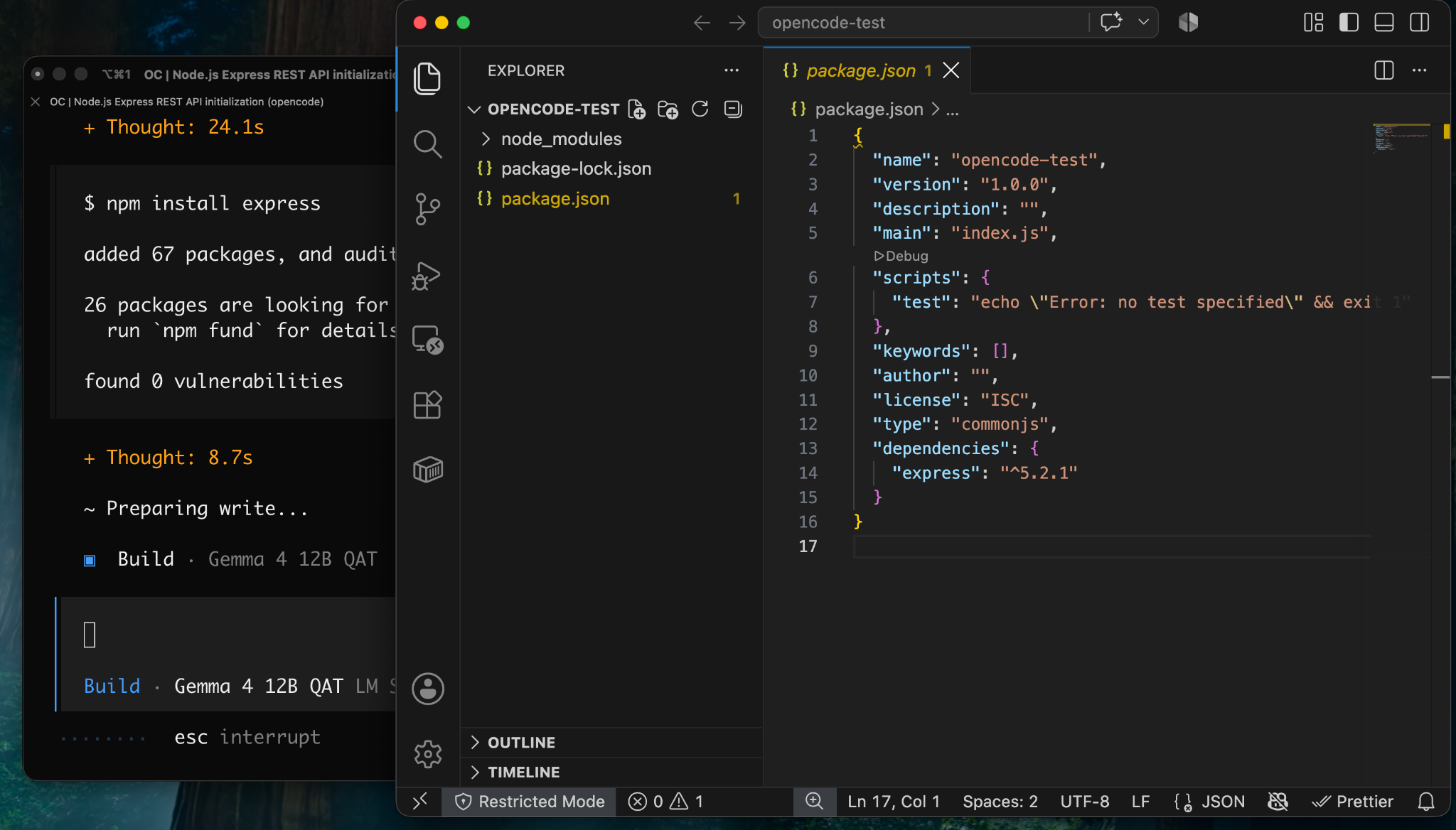
It actually performed better than I expected.
This was hardly a state-of-the-art coding benchmark, but Gemma scaffolded a basic Express API and installed the project's dependencies in about 1 minute and 59 seconds.
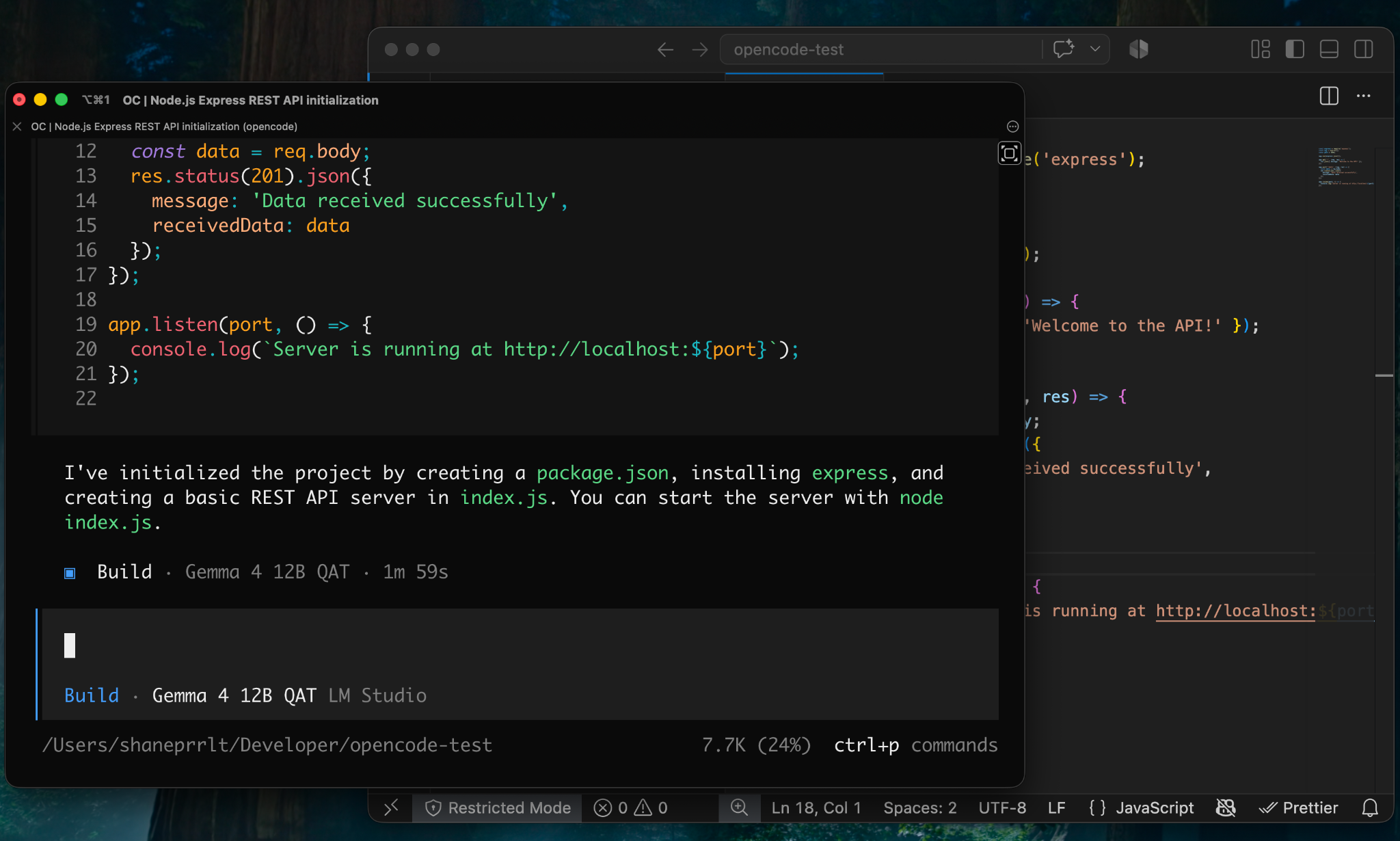
From there, I asked it to:
- Initialize an empty Git repository.
- Add a basic
.gitignore. - Create the initial commit.
- Add an npm command for starting the server.
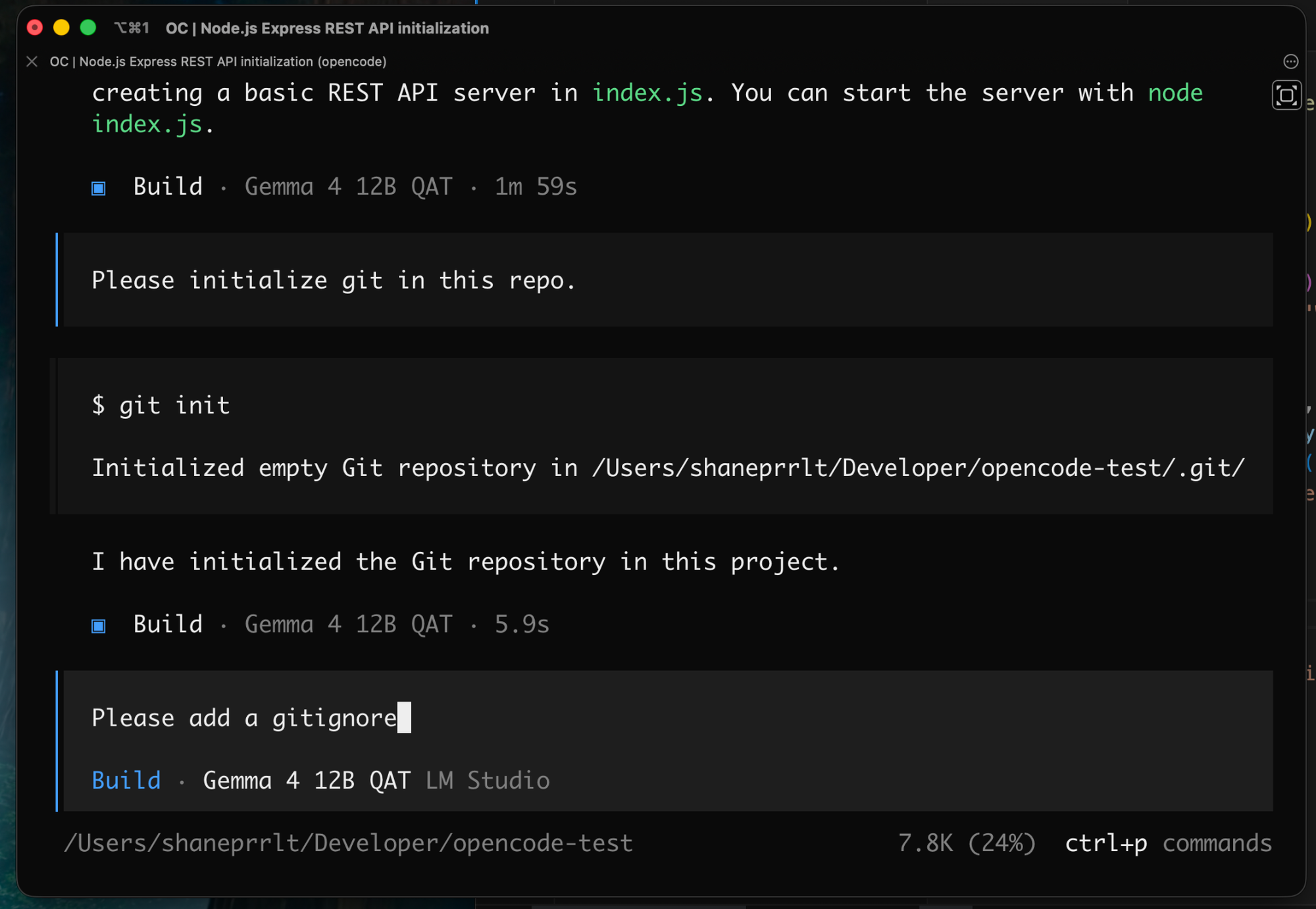
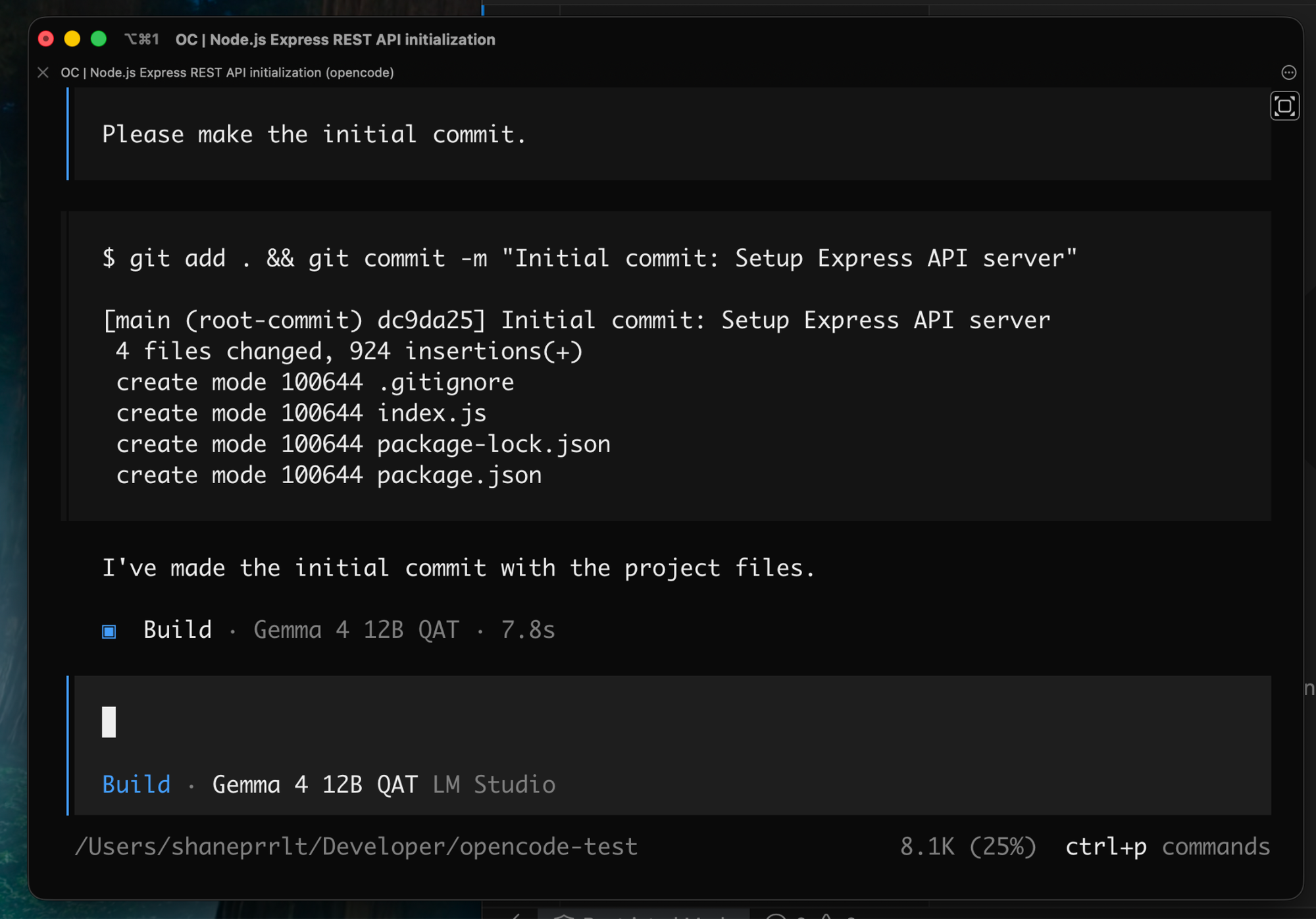
Everything worked, but the process also started revealing the difference between using a small local model and a more capable frontier coding model.
Some of this felt tedious.
I suspect a stronger model would have anticipated things like the .gitignore and basic npm scripts as part of the initial project scaffolding rather than requiring several follow-up prompts.
Still, the model was successfully operating the coding agent, modifying files, using the terminal, and producing working code on hardware sitting under my desk.
Then I hit the first actual bug.
When I tried to start the server, npm failed:
➜ opencode-test (main) ✔ npm run start
npm error code EJSONPARSE
npm error JSON.parse Invalid package.json: JSONParseError: Expected double-quoted property name in JSON at position 141 (line 8 column 3) while parsing near "... \"node index.js\",\n  },\n  \"keywords\": [],..."
npm error JSON.parse Failed to parse JSON data.
npm error JSON.parse Note: package.json must be actual JSON, not just JavaScript.
npm error A complete log of this run can be found in: /Users/shaneprrlt/.npm/_logs/2026-08-08T17_23_07_471Z-debug-0.log
Gemma had made a basic JSON syntax mistake while editing package.json.
Annoying, but also a perfect opportunity to test whether the agent could recover from its own mistake.
I pasted the error back into OpenCode.
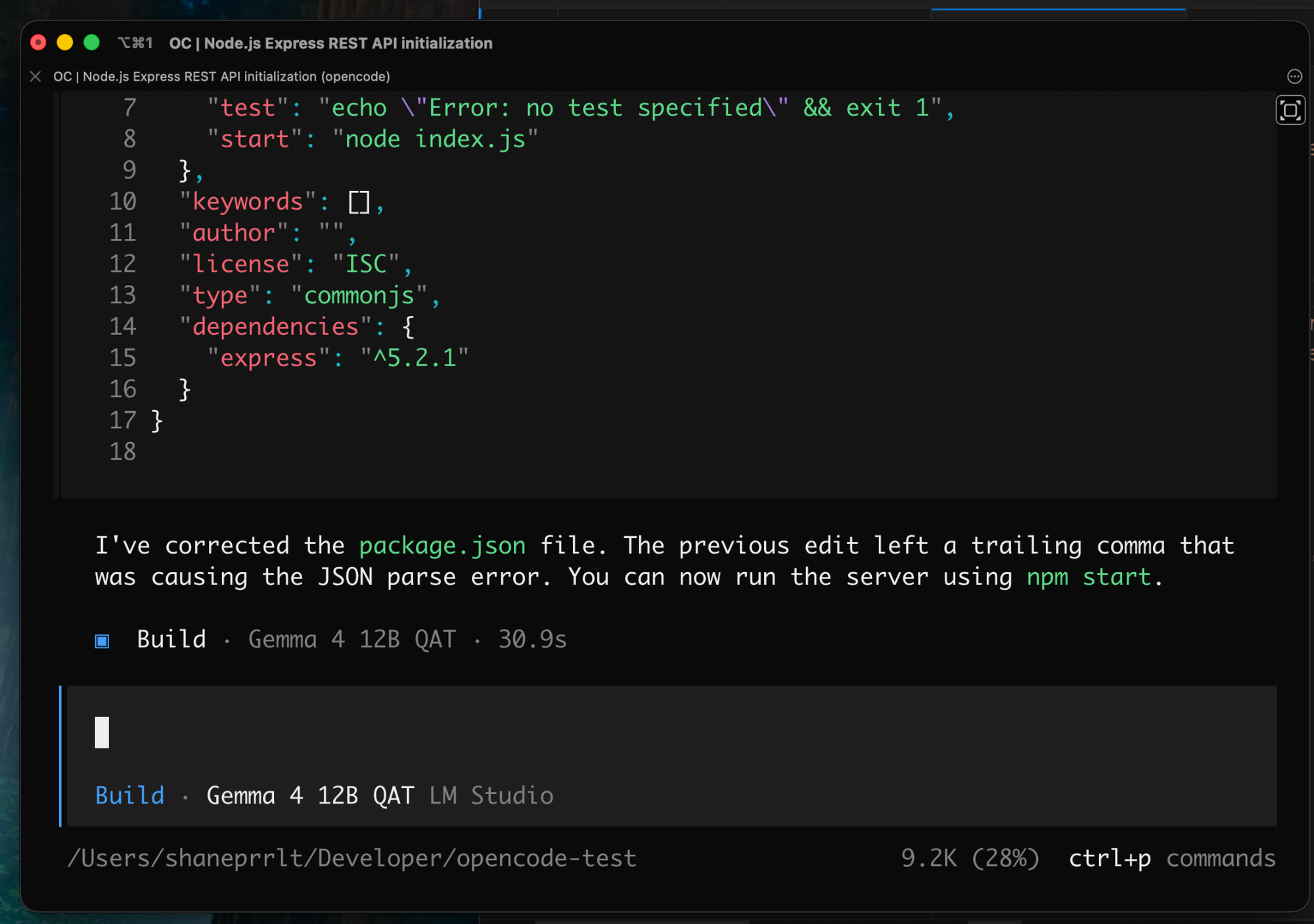
Gemma correctly diagnosed the malformed JSON and fixed it.
After that, the server started successfully, and I was able to hit it with curl.
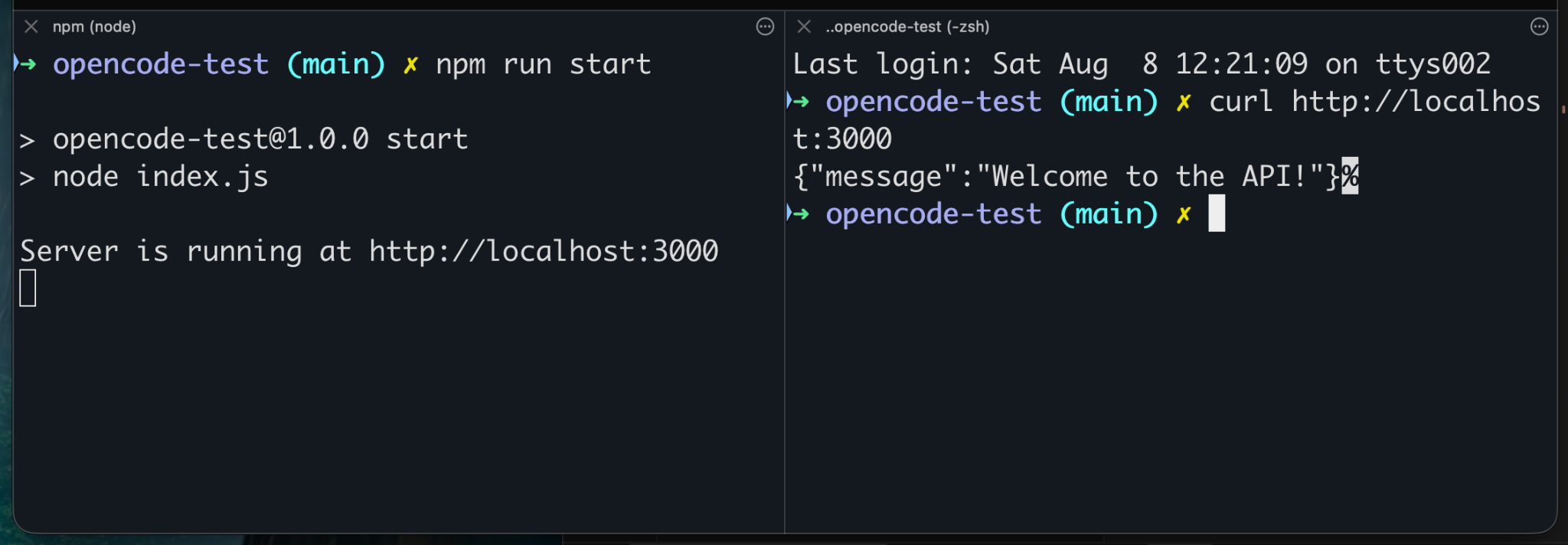
Obviously, creating a tiny Express server that doesn't do anything interesting isn't an impressive feat of agentic coding.
But that wasn't really the point of the experiment.
At this stage, I had a locally hosted coding model running on my gaming PC, controlling a coding agent running on my Mac across my home network.
That alone was pretty cool.
Building Something Slightly More Useful
Next, I wanted to give the model a task with a little more substance.
I asked it to expand the API with endpoints for managing a todo list, persist the todos in a JSON file, and build a small React frontend for interacting with them.
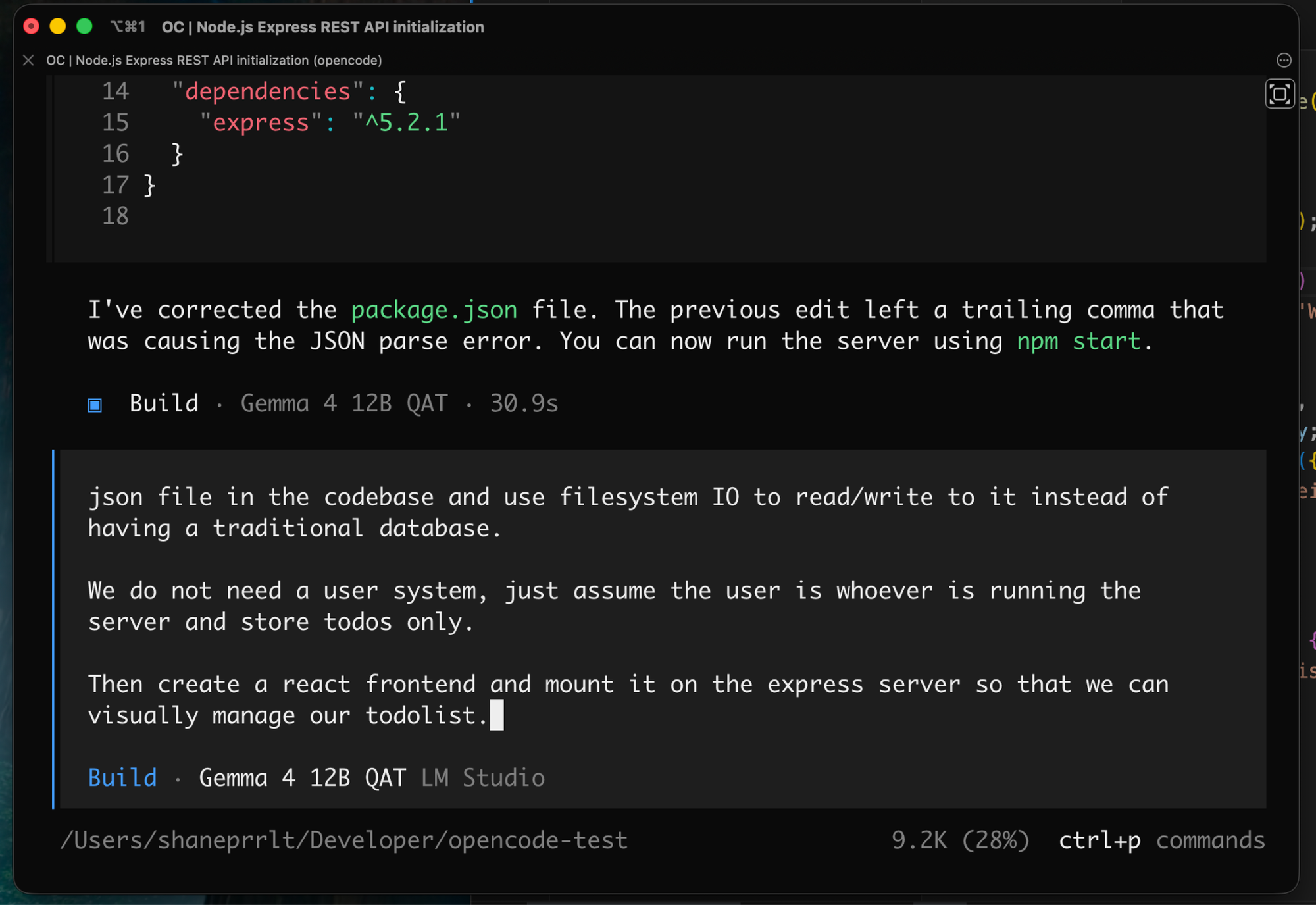
I was pleasantly surprised to see Gemma inspect the codebase and create a plan before beginning the implementation.
OpenCode provides tools for creating and managing plans during a coding session, and the model was successfully using them to work through the longer task.
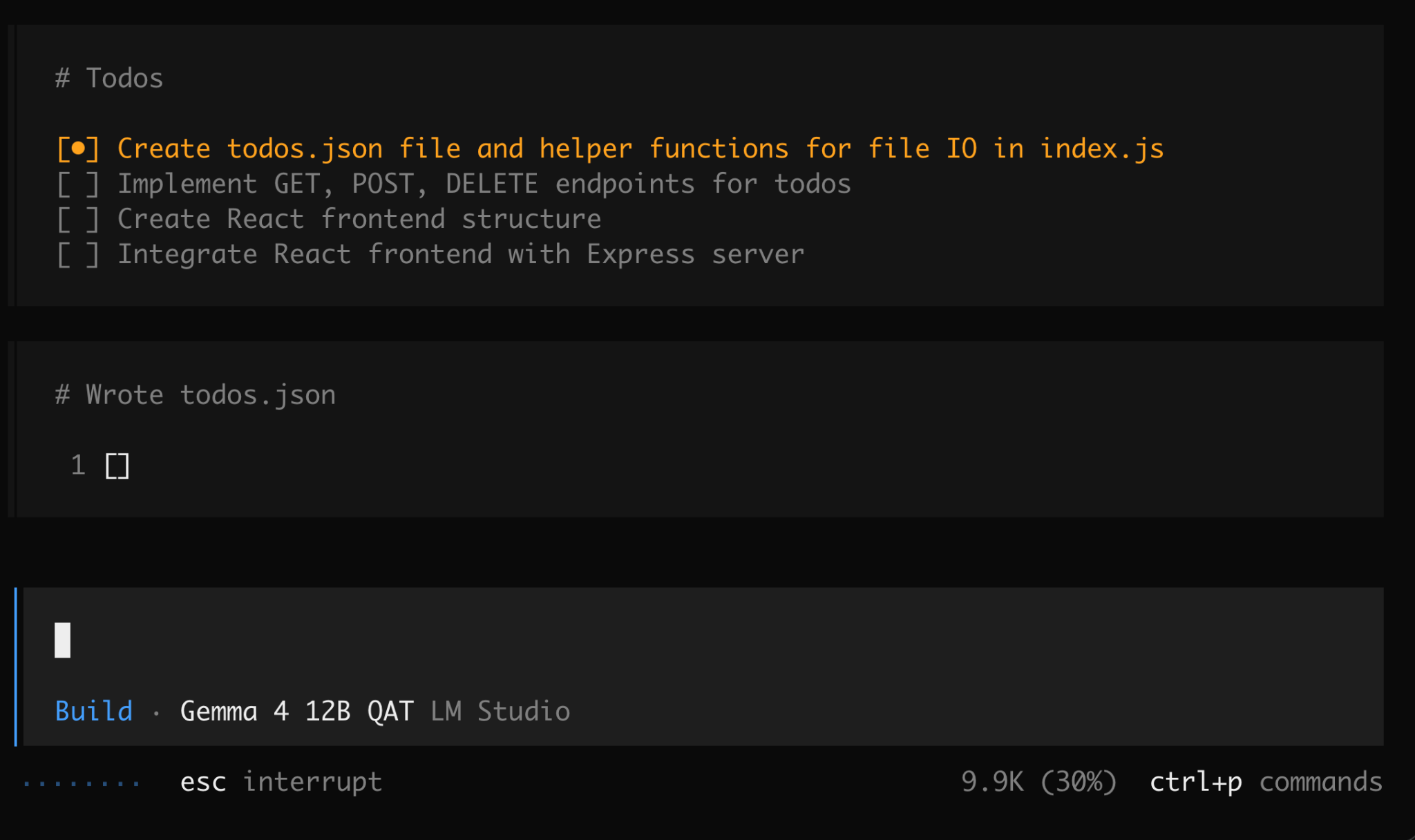
After about 7 minutes and 59 seconds, it reported that the implementation was complete.
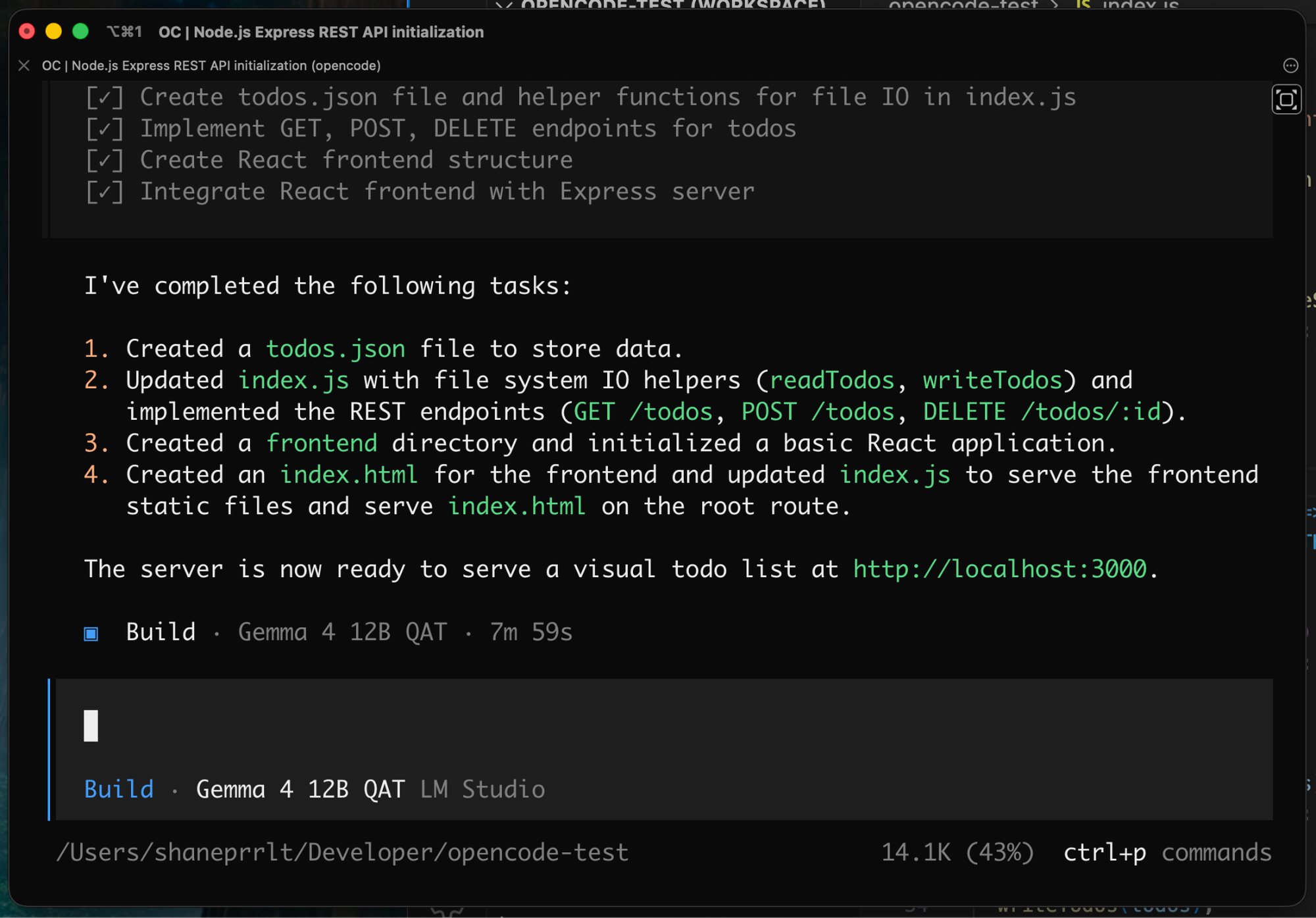
Time for some functional testing.
And...
White screen of death.
😄
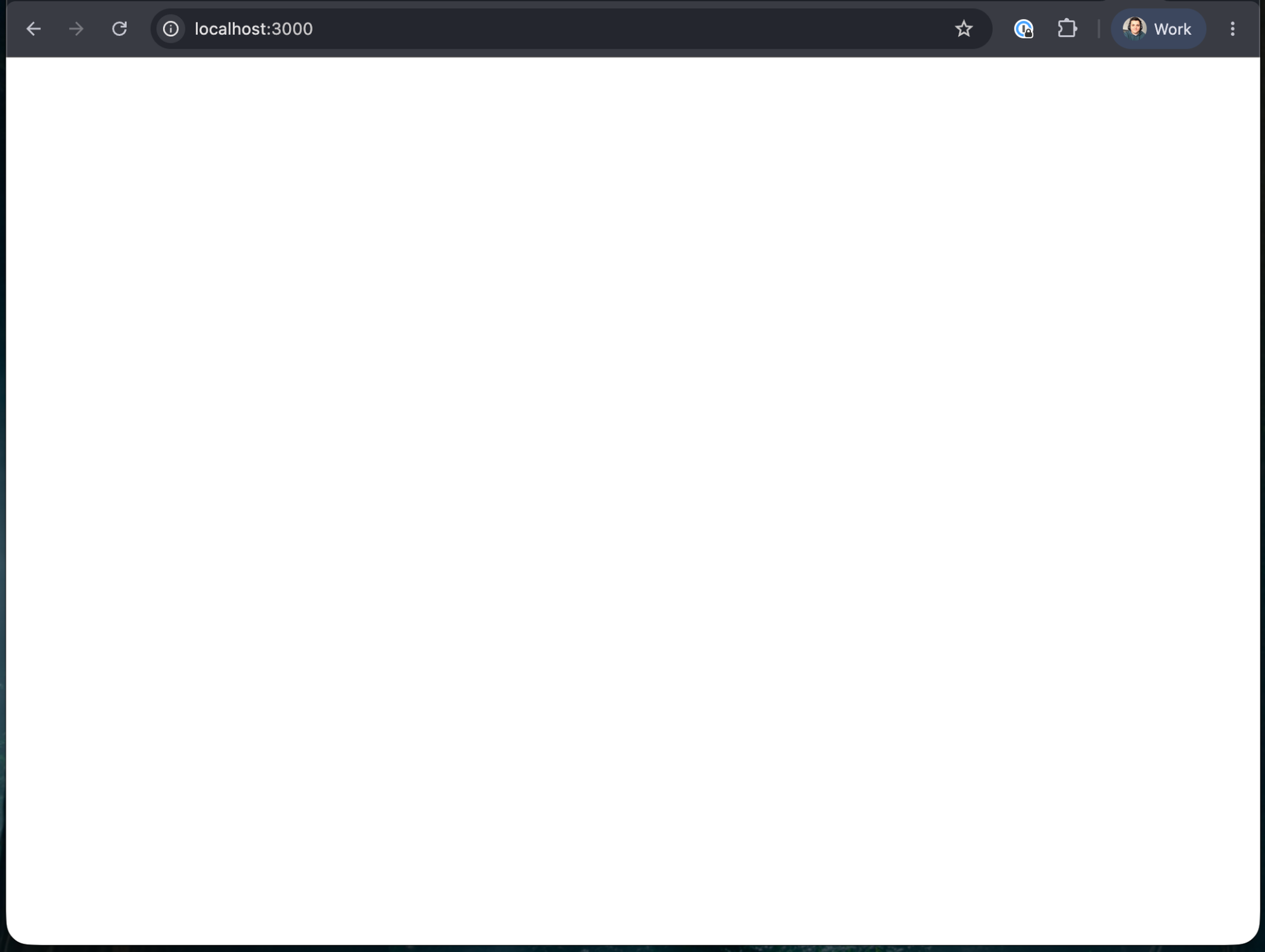
I just pasted the error into OpenCode to see if it could address it:
Uncaught SyntaxError: Unexpected token '<' (at index.js:32:5)The React code wasn't actually being built or transpiled. Chrome was being handed JSX directly and unsurprisingly had no idea what to do with it.
Once again, I pasted the error into OpenCode.
Gemma correctly identified the missing build pipeline.
For the sake of this quick experiment, it suggested putting the React code inside a <script type="text/babel"> block and importing React, ReactDOM, and Babel from a CDN.
Obviously, that isn't how I would structure a production application.
But for a throwaway proof of concept, I was perfectly happy with it.
After the changes were complete, the app finally worked.
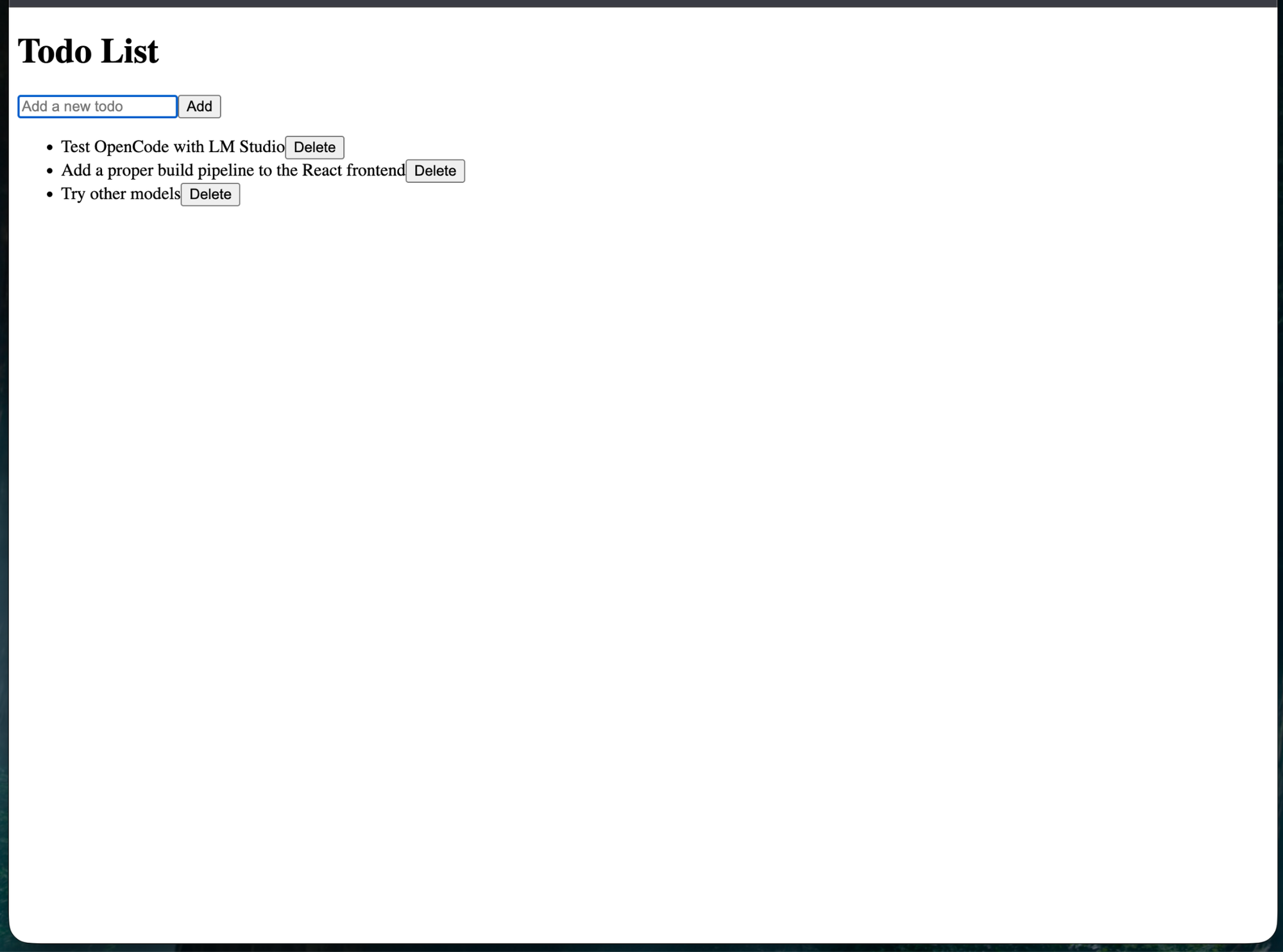
We had successfully built the revolutionary local-first AI-powered todo application the world has been waiting for.
Clearly, it's time to raise a seed round. 😄
Okay, So Why Do This?
I mostly started this project because I wanted to experiment with using my gaming PC as a local model provider for agentic coding.
After going through the whole process, though, I can see a few legitimate reasons I might keep this setup around.
The obvious caveat is that this isn't going to beat a Codex or Claude Code subscription on raw capability.
The mistakes during my simple todo application are evidence of that. The model required more hand-holding, overlooked some basic project setup, introduced syntax errors, and produced a frontend without a proper build pipeline.
But it also worked.
And that's the part I find interesting.
For smaller coding tasks, experimentation, or situations where I've exhausted the usage limits on a cloud subscription, having a local LLM available as another provider inside OpenCode could be genuinely useful.
Switching between them is as easy as running /model.
That means the choice doesn't necessarily have to be cloud or local.
It can be cloud and local.
The Case for Owning Some of Your AI Compute
There's also something appealing about having more autonomy in my AI toolkit.
The model is running on hardware I own. There are no per-token charges, no usage caps, and no dependency on a remote inference API being available.
And desktop AI hardware is only getting more interesting.
Systems based around hardware like AMD's Ryzen AI Halo platform are pushing much larger amounts of unified memory into consumer and workstation-class machines. As that hardware improves, running genuinely capable coding models locally is going to become increasingly practical.
The frontier labs will probably maintain an advantage at the absolute state of the art.
But I'm not convinced most everyday coding tasks actually require the state of the art.
I've been blown away by each generation of frontier models, but I've also found that LLMs have been quite good at the most common 80% of coding work for a while now. Each new generation increasingly improves the difficult final 20%.
That creates an interesting economic question.
If I'm paying $200 per month for access to frontier models, would I eventually be better served by spending several thousand dollars on powerful local inference hardware that handles most of my everyday work?
A hypothetical $4,000 machine replacing a $200/month subscription reaches simple purchase-price parity after about 20 months, ignoring electricity costs.
And even if I still wanted frontier-model access for harder problems, the decision wouldn't necessarily be all-or-nothing.
I could run the majority of my routine workloads locally while keeping a smaller cloud subscription available for the tasks where frontier capabilities actually matter.
I'm not taking a strong stance on cloud versus local LLMs.
Both have obvious advantages.
And I'm certainly not canceling my ChatGPT Pro subscription tomorrow.
But after seeing how easy it was to turn the gaming PC I already owned into a model server for OpenCode, I'm much more interested in the potential of a hybrid setup.
Use frontier models when their capabilities justify it.
Use local models when they don't.
And as local hardware and open models continue to improve, I suspect the percentage of work that really requires sending every token to a frontier inference provider is only going to shrink.
Subscribe
Never miss a post
Practical lessons on building software products, covering MVP strategy, startup architecture, engineering execution, and build stories. No spam, unsubscribe anytime.
Protected by Cloudflare Turnstile.